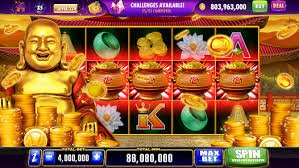
No more opening a browser every time you want to play. The cgk33 app is available for Android and iOS — lightweight, responsive, and packed with all the same features as the desktop version, but even faster and more convenient.
Cgk33 mobile app interface — clean and responsive
If you often play online games while lying down or on the go, you know how tedious it is to open a browser, type in the URL, wait for it to load, and then finally get into the game. The CGK33 app was built specifically to eliminate all that hassle.
With a single tap on the CGK33 icon on your phone, everything opens instantly — automatic login, your favorite games right there, and bonus notifications you'll never miss again. The experience is far smoother because the app is purpose-built for touchscreens, not just a zoomed-in website.
Performance is another key advantage. Compared to accessing cgk33 via a mobile browser, the native app runs up to 3x faster when loading games and processing animations. For games like Fish Shooting and Live Casino that require real-time responses, the difference is very noticeable.
Security is never compromised. The cgk33 App features biometric login — fingerprint or Face ID — so only you can access your account, even if someone else borrows your phone. Combined with end-to-end encryption for all transactions, playing has never felt more secure.
Exclusive Push Notifications — cgk33 app users receive bonus, tournament, and jackpot notifications earlier than regular website users. Don't miss out!

CGK33 interface optimized for the best mobile experience
Games load faster than a standard mobile browser.
Log in with your fingerprint or Face ID — fast and secure.
Bonuses and events are delivered to your phone in real time.
More efficient data consumption thanks to smart compression.
Follow these simple steps — done in 3 minutes
If you don't have an account yet, click Register and fill in your details first. The registration process takes less than 2 minutes and your account is activated instantly.
Because the cgk33 APK file is not distributed via the Play Store (to avoid restrictions), you need to enable Settings → Security → Unknown Sources on your Android device. This is safe and can be disabled again after installation is complete.
Click the button Download Android APK on this page or within your cgk33 account. The file is approximately 45 MB and will be saved automatically to your device's Downloads folder.
Open the APK file from your Downloads folder or from the download completion notification. Tap Install and wait a few seconds for the installation to complete.
The CGK33 icon will appear on your phone's home screen. Tap it, log in with your existing account, and you're ready to play.
| Android Version | Android 6.0 (Marshmallow) or higher |
| RAM | Minimum 2 GB (3 GB+ recommended) |
| Storage Space | 50 MB free |
| Internet Connection | 3G / 4G / 5G / WiFi |
| Screen Size | 4 inches and above |
| Processor | Quad-core 1.4 GHz or above |
| APK File Size | ± 45 MB |
Make sure you already have a cgk33 account. If not, registration only takes a few minutes and your account is activated immediately after basic verification.
For a smooth iOS installation, use the Safari Apple's built-in browser. Other browsers such as Chrome may not fully support the cgk33 web app installation process.
Visit the cgk33 app page via Safari and click the button Download for iOS. You will be redirected to the installation confirmation page.
Tap the icon Share (box with upward arrow) in Safari, then select Add to Home Screen. The CGK33 icon will appear instantly, just like a regular app.
When opening the app for the first time, allow notifications so you never miss exclusive bonuses and events. Also enable Face ID for faster, more secure login.
| IOS Version | IOS 13.0 and above |
| Device | IPhone 7 and above / iPad 6th generation+ |
| RAM | 2 GB (sufficient for all games) |
| Storage | 30 MB free space |
| Connection | 4G / 5G / WiFi recommended |
| Browser Install | Safari (required) |
| Jailbreak | Not Required |
Full CGK33 features available on the mobile app
This is not just a mobile version of a regular website. The cgk33 App is built from scratch with a mobile-first approach, delivering features genuinely designed for user comfort on smaller screens.
Slots, Live Casino, Fish Shooting Games, Sports Betting — all playable directly from the app without exception.
Deposit and withdraw your wins directly from the app — fully integrated with all cgk33 payment methods.
Contact the CGK33 support team anytime, directly within the app, without navigating away.
Monitor your full deposit, withdrawal, and game activity history in a clean, easy-to-read layout.
Track your position in live tournaments and events in real-time directly from the app dashboard.
A comfortable dark mode that's easy on the eyes, perfect for late-night sessions without straining your screen for too long.
See for yourself why thousands of players are switching to the app
| Features / Performance | CGK33 App | Mobile Browser |
|---|---|---|
| Game Loading Speed | 3x Faster | Normal |
| Biometric Login (Fingerprint / Face ID) | ✓ Available | Not Available |
| Bonus Push Notifications | ✓ Real-Time | None |
| Deposit & Withdrawal | ✓ Fully Integrated | Requires Opening a New Tab |
| Data Usage | Saves ~30% More | Uses More Data |
| Game Connection Stability | Very Stable | Occasional Disconnects |
| Auto Update | ✓ Silent Update | Not Relevant |
| Access Without Typing the URL | ✓ 1 Tap | Type / Bookmark |
Many players were hesitant to switch from the web version to the app, but once they tried the CGK33 mobile version, almost none of them wanted to go back. The reason is simple: everything is more responsive, more personal, and easier to reach.
One of the most loved features of the cgk33 app is auto landscape mode. When you rotate your phone to landscape, certain games such as Fish Shooting, Live Casino, and Sports Betting will automatically switch to widescreen view — giving you a wider field of view and a far more immersive gaming experience.
For users who frequently play in areas with unstable signals — such as while traveling or in remote locations — the cgk33 app also features auto reconnect. If the connection is interrupted mid-session, the app will automatically reconnect and resume from where you left off — no manual restart required.
Cgk33 app updates are released on a regular schedule — typically every two weeks — bringing performance improvements, new games, and feature enhancements based on direct feedback from the player community. Each update downloads silently in the background, so you never have to interrupt your game for a manual update.
Cgk33's landscape mode gives you a wider game view
Complete answers to all your questions before downloading
Free, lightweight, and packed with features. Join millions of players in Indonesia who already enjoy playing CGK33 from the palm of their hand.
Don't have an account? Register for free here — fast process, balance ready to top up, games ready to play.